Revolutionize your workflow
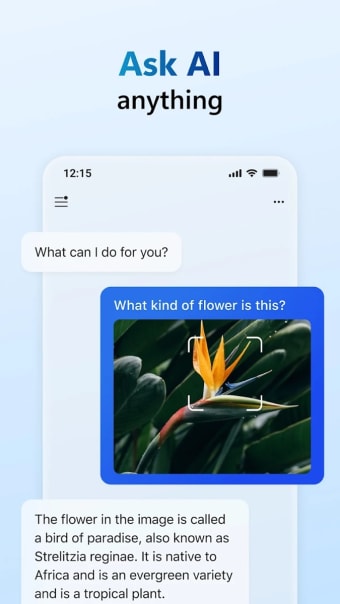
Unleash a new era of productivity with Microsoft Copilot, a free artificial intelligent chat assistant fueled by state-of-the-art AI technologies — GPT-4 and DALL·E 3 — from OpenAI. Seamlessly integrating chat and creative functions, this app redefines your approach to work, education, and personal tasks.
Top Recommended Alternative

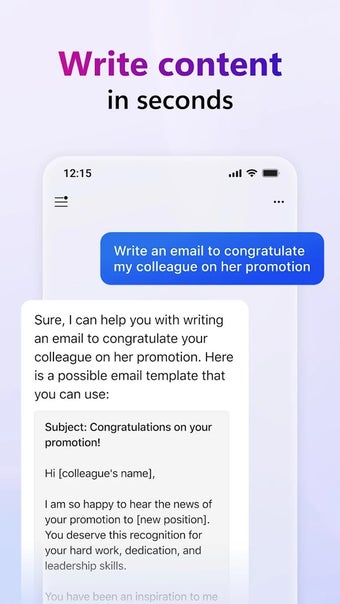
Microsoft Copilot provides swift and precise responses to a diverse range of activities, from drafting emails to summarizing complex texts. The synergy of GPT-4's linguistic capabilities and DALL·E 3's creative prowess positions Copilot as more than just a productivity tool; it is a catalyst for inspiring creativity.
From text to vision
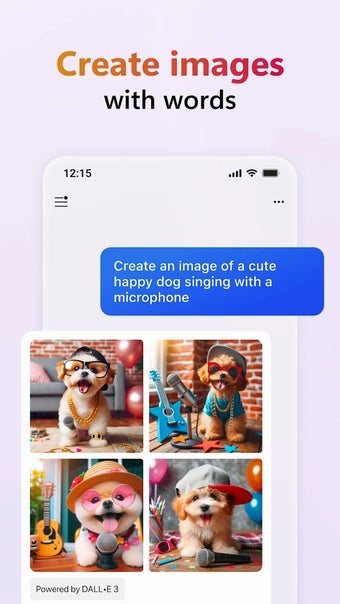
Microsoft Copilot's Image Creator stands out as a design powerhouse, redefining your creative processes. By translating text prompts into high-quality visuals, this feature enables you to explore new styles, curate social media content, develop brand motifs, generate logos, craft custom backgrounds, build portfolios, illustrate books, and visualize film storyboards. The amalgamation of GPT-4 and DALL·E 3 elevates the app beyond a conventional assistant, turning it into a creative catalyst.
The synergy between GPT-4's linguistic finesse and DALL·E 3's creative prowess positions the app as a multifaceted tool. Not confined to mere productivity enhancement, it becomes a vessel for unleashing boundless creativity that makes it an indispensable companion for designers. Whether streamlining design workflows or pushing the boundaries of imagination, this app transcends the traditional role of an AI assistant.
However, like any tool, this app also has its limitations. Voice typing defaults to the language of the user's location, lacking an option for customization. The restriction to 30 prompt slots may feel limiting for users with extensive needs. Additionally, the absence of a chat history or a rewrite/edit option could be inconvenient for those who value revisiting their interactions.
Additional capabilities
Canary Channel Insiders are in for a treat as Microsoft Copilot gets a turbo boost. The AI companion now wields more power than ever, from managing settings to summoning accessibility features with just a voice command. It boasts seamless integration with Power Automate for low-code automation tasks like Excel operations and PDF manipulation. With added commands, you can even let the tool handle everyday tasks ranging from toggling system settings to executing specific actions like cleaning storage or emptying the recycle bin.
Enhance your creativity and efficiency
In conclusion, Microsoft Copilot is not just an ally in productivity; it's a revolutionary force that seamlessly combines linguistic and creative capabilities. With its advanced AI technologies, the app streamlines tasks and pushes the boundaries of what's creatively possible. While it has some limitations, the overall impact of this AI-powered chat assistant is transformative — reshaping the way you approach work and creative endeavors.